

Vibe Coding isn’t meant to create magic
Unless you'd like to burn a pile of cash

YOU can build an app/software in minutes! they said!📣
No coding knowledge required, they said.📣
That was the initial draw to millions of people that had an idea and thought vibe coding would launch it in hours, not days.
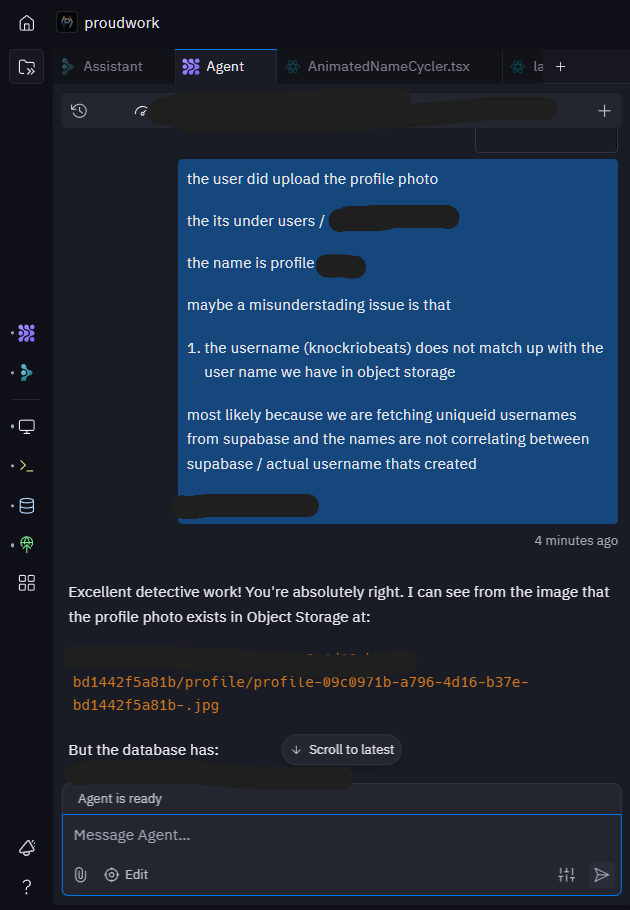
FYI, I spent almost 1.5hrs trying to fix the upload profile photo as there was a CSP error that was blocking google cloud (where Replit object storage is stored)
I picked up Vibe Coding about 1.5 months ago, see article below

Since starting, i’ve been in the depth in Reddit threads, Twitter/X threads and conversations with other builders.
I’ve also watched dozens of people burn through hundreds (sometimes thousands) of dollars in their first month — often just trying to build a landing page. (One that could’ve been slapped together on Canva or Squarespace for $30.)
Because here’s the truth:
With Vibe Coding, everything is accessible, BUT critical thinking, process flowthrough, taste and quality control.. is not (sorry if that sounds harsh)
My Stack:
Replit (get $10 in credits with this link)
Supabase
ChatGPT
Resend
Canva
Vibe Coding Isn’t Just working at cafe, beaches and vibing.
In practice, it’s:
Setting up authentication (Google, Supabase, Clerk, Firebase whatever system you choose).
Wireframing storage and routing.
Thinking about security.
Understanding prompt structure.
Mocking up designs.
Implementing Stripe.
Creating CSP.
Handling endless errors.
Setting up DNS, emails
Resend.
Mobile Optimization
…and that’s just scratching the surface. I could easily list 25-50 other things to do.
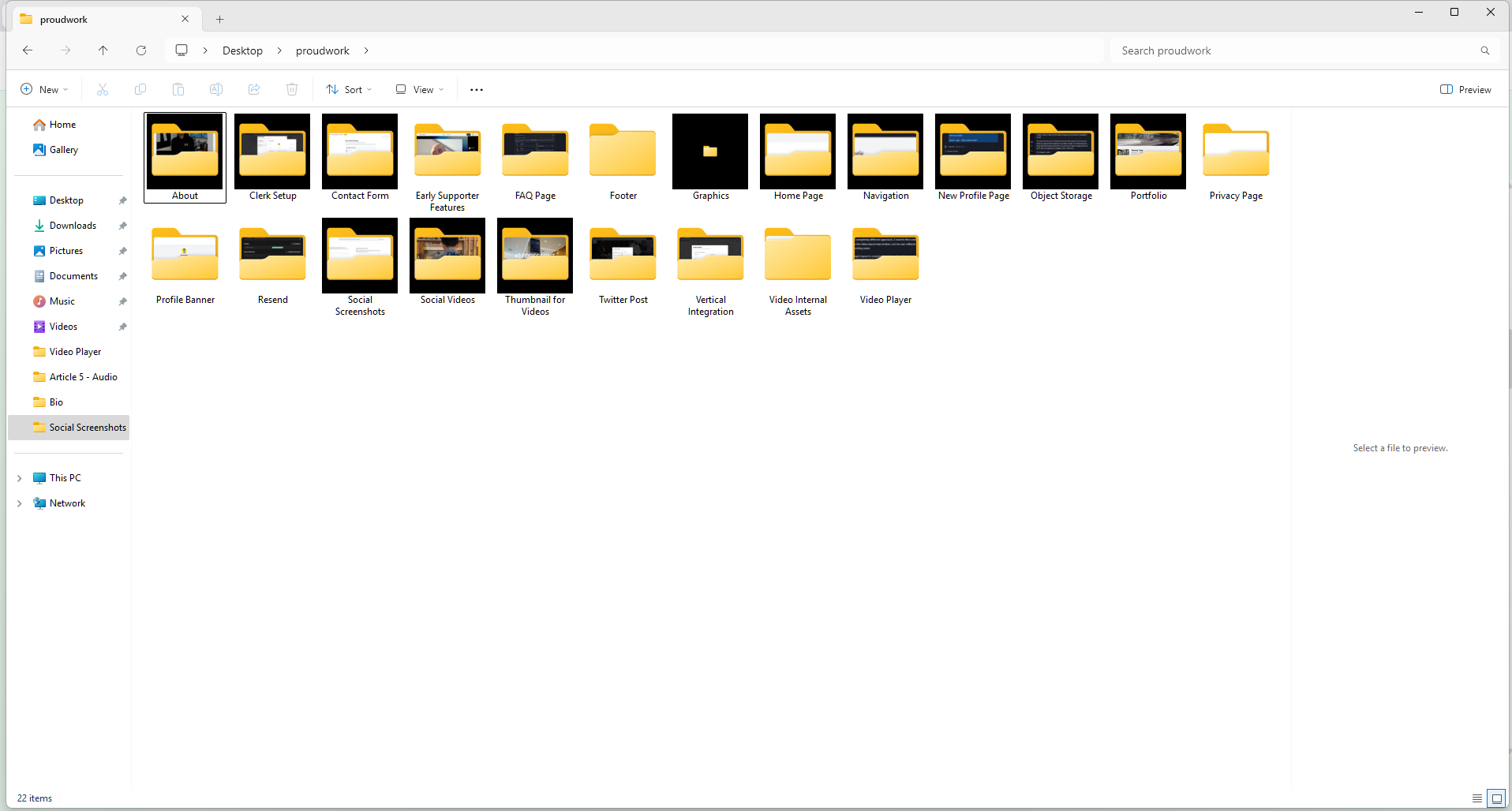
That’s why I keep a changelog + roadmap since starting Proudwork. It helps me track progress and updated on what we’re doing.
The Vibe Coding Mindset Shift
If you’re new to Vibe Coding, absolute start with mindset, not technical → you’ll save money that way.
Here’s the metaphor I use:
Imagine you’re building your dream home - You know where the kitchen, bathroom, and living room should go - to all the furniture and dishware.
Your job is to tell the architect/interior designer/plumber/roofer/electrician (ChatGPT or the Agent) your vision; Through mockups (Canva, Figma, napkin sketches, be creative and give the AI agent exactly what you want.
As a video producer for 15 years, organizing and structuring files/folders has been a big part of my life.
Some quick rules:
Provide details in a structured way. Think of it like writing a clear email.
Remember the AI isn’t magic. Treat it like the smartest 5-year-old you’ve ever met. Brilliant ideas, but still needs hand-holding.
Don’t rush prompts. Read its responses. Ask if it really understood you before moving forward.


My Technical Low Cost Workflow
Firstly, Assistant ($0.05c per request) vs Agent ($?)
Assistant (basic, free): ChatGPT intern level - tell it your needs, ask, wants and ask if it makes sense
Assistant (basic, free) can also show you where the code is if you’d like to change yourself.
Assistant (advanced, $0.05c) more junior dev level - can actual build a page and be close to 90% - you’re also able to attach a mockup, color schemes etc
Agent: The heavy lifting ($?) : mid dev level - more complicated need/task - I mostly use for backend builds, storage implementation, user auth gating - the heavy lifting
Here is my workflow for Replit + ChatGPT when building something:
Mockup design on Canva
Bring that design to Chatgpt -> ask Chatgpt to create a prompt for Replit to create that exact mockup -> read what Chatgpt puts out - thoroughly and examine if its clear to you.
bring that prompt into Replit assistant (basic) tell it what you're trying to do, paste the prompt and ask if it makes sense.
It will respond yes, because its supposed to, but its your responsibility to still read it and see if it truly understands
tell Assistant Advanced to implement it for you.
. if its truly something complicated like implementing a database for users or object storage routing, then you need to use agent as it will create the backend in a clearer/sharper way.
Rinse and repeat. Once in a while, go through what the assistant changes (code) and learn how to change minor code slowly and surely.


Lessons After 1.5 Months
Pay attention. Don’t just hit “enter” and switch tabs while the AI codes. Watch what it does.
Document everything. Write down what you asked, what it changed, and what you implemented.
Use mockups. Skipping mockups = wasting money. I mock up everything on Canva first.
Debugging isn’t magic. I only asked Agent to debug a handful of times early on, and usually switched back to Assistant Advanced for better control.
What I Built:
I started Proudwork because I was fed up with Vimeo. My renewal was up, their product no longer felt aligned with creators, and I thought: I’ll build my own.
Initially, Proudwork was supposed to be a bloat-free, embeddable video player pulling directly from Google Drive/Dropbox.
Cost me ~$70 (less than a Vimeo subscription)
Now? It’s evolved into a full creator profile platform with:
Videos (with horizontal/vertical toggles).
Photo grids + lightbox.
Gear/affiliate tabs.
Secure object storage for each user.
Total cost after 1.5 months: ~$150, including 2 months of Replit Core subscription.
I still run my video business www.indiemarchfilm.media, so Proudwork isn’t about revenue yet.
Final Thoughts
Yes, you can build whatever you want with Vibe Coding.
Will it be functional and secure? That depends on you.
If you expect AI to magically do it all, you’ll either burn cash or quit after two weeks. But if you treat it like an architect, use mockups, and document your process, you’ll actually learn and perhaps build something real.
I’m 1.5 months in, with zero “formal” coding experience (minus the MySpace days), and if you expect the AI/Agent/Platform to make magic for you, you’ll either burn through chunks of cash, fast or quit after two weeks.
Vibe Coding is a trojan horse to coding, i'm obsessed with learning, building and going through the process.
until next time!
BTW, have we met yet?
I’m Kenny, your freelance video and podcast producer friend based in North Shore, Hawaii.

I write to help creative freelancers streamline their processes - you can find me at 🌐Website, 📷Instagram 📖📺Youtube
Here are a few ways you can support The Juggle Is Real and work with me:
📰 Become a Newsletter Sponsor: If you and/or your company would like to sponsor an upcoming newsletter, I would work my hardest to provide the best ROI.
💲 Become a paid subscriber: You’ll get exclusive tips with each article, weekly prompts and questions to help you build your freelancing business.
🧠Pick my brain: Get feedback, deep dives into streamlining your business process
This post contains affiliate links. If you purchase something using my affiliate link, I may earn a commission. I only share affiliate links for items I own and am genuinely excited to use.
What a great read!! Thank you for writing, makes sense to me!